
Checking a single email address
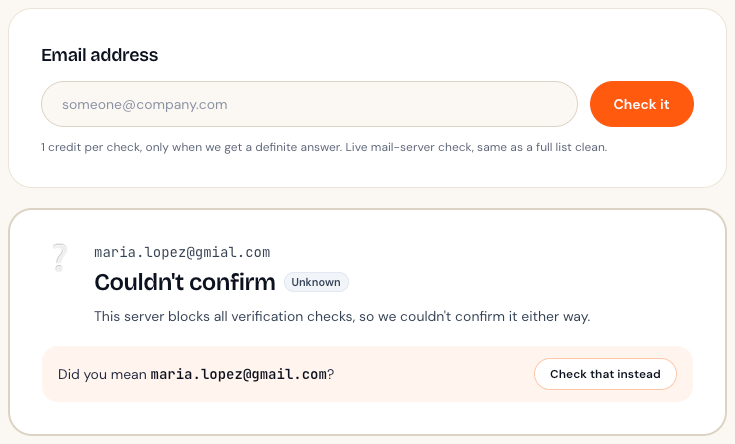
Use Check one email for a live answer on one address, with typo suggestions. It only uses a credit when we get a definite answer.
Updated October 7, 2026
Sometimes you just want to know about one address: a new lead, a customer whose emails keep bouncing, or a sign-up that looks odd.
How to use it
- Open Check one email in your dashboard.
- Type or paste the address and press Check it.
- You'll get an answer in a few seconds, with a plain-English reason.
When it costs a credit
A check uses 1 credit only when we get a definite answer, meaning the mailbox exists or it doesn't. If the mail server won't give a clear answer, the check is free.
Typo suggestions
If the address looks like a typo of a common provider, such as gmial.com or yaho.com, we'll suggest the likely fix so you can correct it.
Checking lots of addresses?
For more than a handful, upload a CSV on Clean a list instead. It's the same check, run on your whole list at once.
Didn't answer your question?
Email support@listbouncer.com or use the contact form. A real person replies.